
The Good Stuff: A discussion on Sector Effectors, Hitags, and Lotags
Hitags and Lotags
Hitags and Lotags are used by the game to assign special effects, connect
switches to doors, link multiple doors to open at the same time, specify
a sound to play, and many other game effects. Hitag and Lotag uses vary
according to what they're applied to. Switches and Activators with
identical lotags are linked, so that when the switch is flipped, the
special effect is started. The most important thing you must know about
hitags and lotags is that you should keep track of which numbers you've assigned
to common effects. If you use number 3 as the hitag for a swinging door, then
use that number again for another door, or other effect, the two would be
linked. You could end up having a door open up when a lightswitch is flipped,
or a Touchplate sprite on one end of your level trigger an explosion
somewhere completely different; definitely not something you'd expect to
happen :). These duplications can be hard to debug, as there is no way
to find a tag without manually searching the entire map.
To set hitags and lotags, use this table to determine the keyboard command:
Edit Mode
Object
Hitag
Lotag
3d
Sprites, Sectors, and Walls
['] [H]
['] [T]
2d
Sprites and Walls
[ALT] [H]
[ALT] [T]
2d
Sectors
[H]
[T]
Sector Effectors
Sector Effectors are used to create a variety of effects in the game.
Sector Effectors can be used to make Earthquakes, Subways, Light Switches,
Sliding Doors, and many other neat effects. Now that you know what Sector
Effectors are used for, how do you place them into your level? Sector
Effectors are simply sprites, tile #1. They look like a little blue and white 'S':
How can a single sprite create Earthquakes, Sliding Doors, and all of those
other effects? By changing its hitag and lotag. Each of the different effects
is assigned a unique number by the game engine. For instance, Earthquakes
are lotag number 2. Sliding Doors are lotag number 15. You can have
separate Sliding Doors throughout your level, so how does the game tell each
apart? By using unique hitags. You can have two doors open at the same
time, like a double door, by assigning each the same hitag.
Some Sector Effectors have other attributes which the game uses to define
a special effect. Shade values, angle values, and palette values are used to
change how the effect works. Browse the Sector Effector
Reference Guide and look through all of the different effects. There
are many, many things you can do with just this one sprite. Many of the
Sector Effectors require special Sector Tags to work as well, so let's cover
them now.
Sector Tags
Sector Tags are used for many things, just like Sector Effectors. Many of the Sector
Effectors will not work without their corresponding Sectors having Tags. Elevators
use Sector Tag 15. Ceiling Doors use Sector Tag 20. There is a inseparable bond
between Sector Effectors and Sector Tags. You might be asking yourself, "why do
we need Sector Effectors, then, if the Sectors themselves have tags? Isn't that redundant?"
Sector Effectors were added to provide more detail about how the effect should be done.
For swinging doors, the Sector Effector position becomes the pivot point for that door. For
ceiling doors, the Sector Effector determines how long the door should stay open, and whether
it should auto-close. As you work through these tutorials, it will become evident how
the Sector Effector interacts with the Sector Tag. There are certain Sector Tag effects, however, which
do not require a Sector Effector. Platform Elevators and Star Trek Doors are two such instances. Browse the Sector Tag Reference Guide and take a look at the things you can do.
Sprite Tags
You've already seen an example of Sprite Tags... the Sector Effector is simply a sprite. Sprite Tags
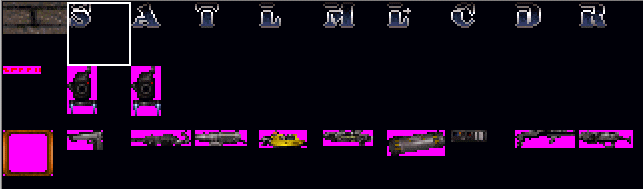
are used in many places. Switches, for example, are sprites. You'd set the switches' lotag to some number to link it with an Activator. You'd set the switches' hitag to the sound number that plays when the switch is flipped. A C-9 sprite will have its lotag set to the time delay before it explodes. In many cases, the sprites most often tagged are those which are never seen by the player.; the sprite tile set 1-10:
These sprites are the Sector Effector, Activator, Touchplate, Activator Locked, Music And SFX, Locator, Cycler, MasterSwitch, Respawn, and GPSpeed. For a thorough explanation of each, and what their tags do, check out the Special Sprite Reference Guide. Setting a Touchplate hitag to some number means that effect will only happen that many times. Changing a Music And SFX sprite's tags will change the music or sound effect that plays.
UGH! Tags are confusing!!
If this all seems a little awkward, believe me, it is. I'm going to possibly make it a little more confusing now: there is no definitive answer for all that tags do, and how they're implemented. I hate to say it, but there's no catch-all phrase that can describe everything that tags are used for. In some places, a hitag sets the sound that will play. In others, it determines the distance that a sector should move. In yet another instance, a lotag links the switch to an Activator. In others, it sets the time delay before activating. There are just so many, many different things that tags can be used for, that there's no easy way to describe them all. My best advice on tags is to go through the tutorials and see tags in action. Learn by doing : )