Glass Walls

|
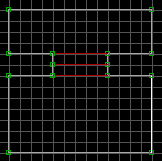
Start out making four sectors, like the image. The two middle sectors will
be our glass borders.
|
|
|
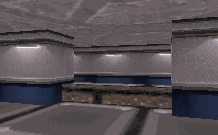
Change to 3d mode and raise the floor of the top-middle sector.
|
|
|
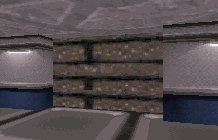
Press [M] on the lower "step" portion of the newly exsposed wall (that ugly
brown texture in the image above.) This will fill the space between the floor
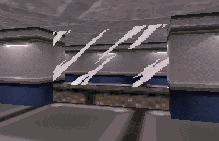
and the ceiling with a single tile (so it's masked.) Press [V] on that tile
between the floor and ceiling, so that you can change the tile. Press [V]
again, and select tile number 503.
|
|
|
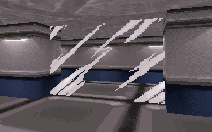
Now lower the floor of the top-middle sector so it's flush with the surrounding
sectors. Now, by default, any newly created maskwall is not going to be
blocking, or hittable. Press [B], then [H] on the glass tile to make it
[B]locking and [H]ittable (don't do it in reverse... pressing [H] first then
[B] will only make it Blockable... weird.)
|
|
|
If you choose to make the glass breakable, and also have the lower and upper
step tiles showing, there are certain instances where breaking the glass will
cause the tiles to shift, messing up any alignment you've so meticulously
set. If this happens, press [O] once on either the top or bottom step tile
to set them aligned to the ceiling. That should fix it.
|
 , All Rights reserved.