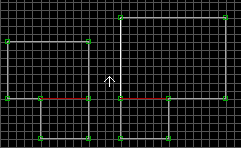

| Start out making four sectors, two large ones of varying size, and two smaller ones (each attached to one of the bigger ones) which will become the actual elevator. Each smaller sector must be exactly the same size. |
|
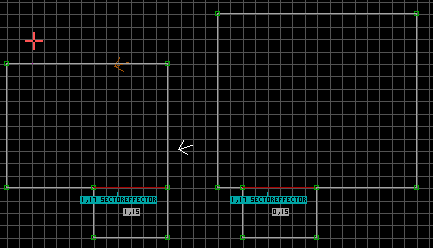
| Insert an SE within each of smaller sectors and change the SE lotags to 17, which is for an elevator. Assign a unique elevator number and put that in both of the SE hitags. Change both of the smaller sector lotags to 15. Pick one of the two to be the higher floor, and change that sector hitag to 1. Leave the other at 0. It's a good idea to put the SE sprites on the same coordinates of both sectors; that way Duke won't shift when he goes up and down it. |
|
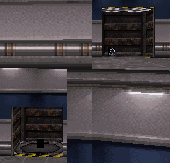
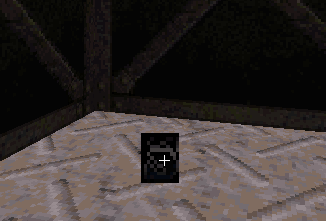
| That's it for tags and such, now you must go into 3d mode and change the shades of the SEs, as well as the floor/ceiling heights of the two elevator sectors. The ceiling height of the lower floor must be lower than floor height of the upper floor, or it won't work. You'll get in the elevator and either rise or fall for an eternity. Put the white arrow in the lower sector and switch over to 3d mode. The darker shaded SE-17 is the floor where the elevator will start. I found this shade must be at least 32 shades dark. To darken the SE, point at it in 3d mode, hold down the ['] key and hit [S]. Enter the number 32 and hit [ENTER]. |
|
 , All Rights reserved.

| Copyright ©1996 Tyler Matthews, All Rights reserved. Go back to my Duke FAQ BUILD page Go back to my Duke FAQ BUILD page Text-Only |